HMRC Login for Drivers: Recovering a Lost Government Gateway ID, Step by Step
To fix a lost HMRC login, use the "problems signing in" route on GOV.UK to recover your user ID or reset your password, and choose "You can get help" if you cannot receive your access code. A locked account unlocks after 2 hours. Follow these steps, and never share your login with anyone.
Published 9 November 2026 · Updated 9 November 2026
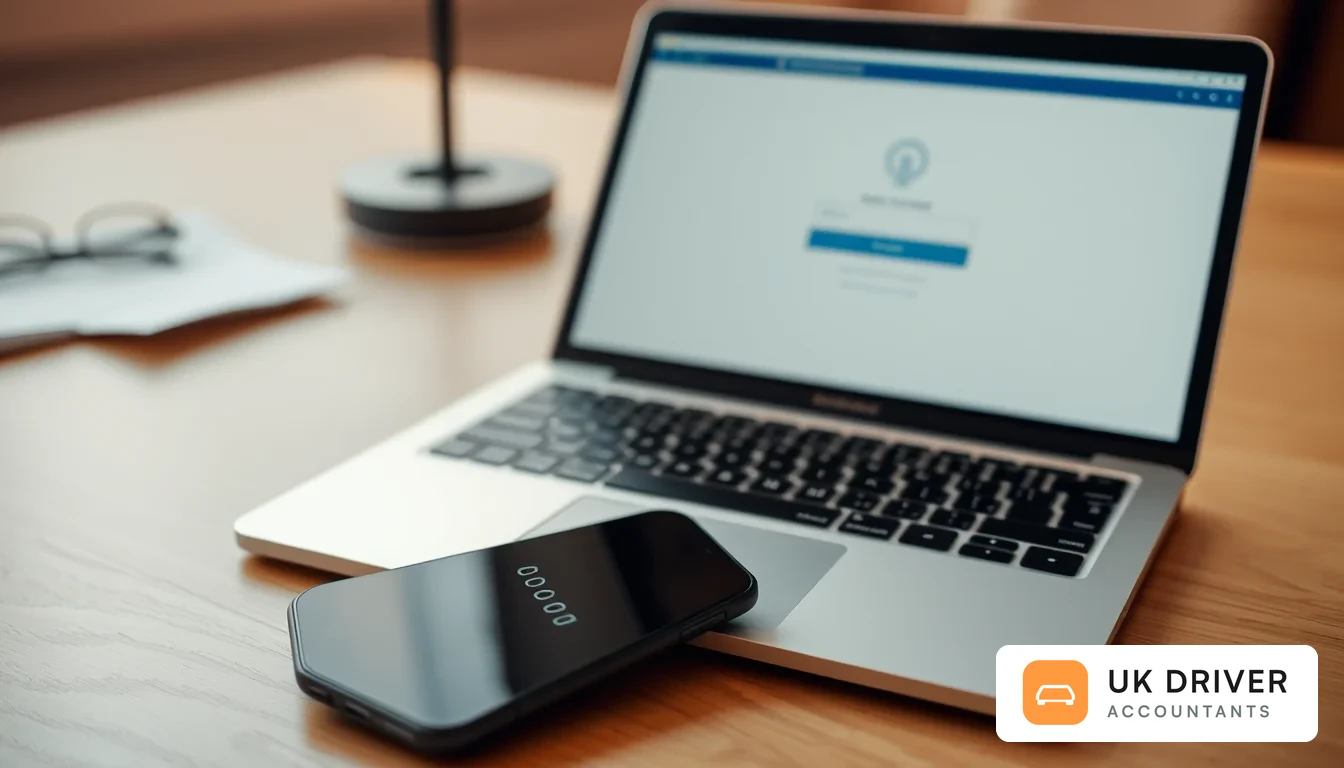
You can usually get back into your HMRC login without paying anyone or phoning anybody first. Start with the "problems signing in" route on GOV.UK, which lets you recover a lost Government Gateway user ID or reset a forgotten password, and use the "You can get help" link if you cannot receive your access code. This guide covers recovery and access problems only, for ride-hailing, private hire and delivery drivers who are self-employed.
If you want a tour of what you can do once you are signed in, read our HMRC login guide for Birmingham drivers or the HMRC online account guide for Cardiff drivers. Here we stay on one problem: you cannot get in, and a deadline is getting closer. The online Self Assessment deadline is 31 January, and you must register by 5 October if you have never filed before.
We wrote this as a practitioner checklist. It uses only steps shown on GOV.UK, and where the official page does not give a detail, we say so and tell you to check GOV.UK rather than guess.
Key takeaways
- Never share your user ID, password or access codes with anyone, including an accountant. A genuine adviser works through an authorisation, not your login.
- Recover a lost user ID or password through the "problems signing in" route. If you cannot receive an access code, choose "You can get help" at the prompt.
- A locked account unlocks by itself after 2 hours, and HMRC helpdesk advisers cannot unlock it earlier.
- Your Unique Taxpayer Reference (UTR) usually arrives by post around 15 days after you register. Check GOV.UK for the activation code timing that applies to you.
- HMRC will never contact you by email, text, app message or phone call to tell you about a rebate or penalty, or to ask for personal or payment details.
What is a Government Gateway user ID?
A Government Gateway user ID is the sign-in name HMRC gives you for its online services. You pair it with a password and an access code to reach services such as Self Assessment. It is separate from your UTR, your National Insurance number and any bank login.
Many drivers mix these up, so it helps to keep them apart. Your UTR is the tax reference HMRC gives you for Self Assessment. Your user ID gets you through the front door. HMRC is also moving some people to GOV.UK One Login, so check GOV.UK to see which sign-in your account currently uses.
Key terms
- UTR: Unique Taxpayer Reference, the number HMRC uses to identify you for Self Assessment.
- Access code: the second step after your password, sent by text message, voice call or authenticator app.
- Authenticator app: a phone app that generates the access code instead of a text message.
- Agent: an accountant or tax adviser you authorise to deal with HMRC for you.
- Form 64-8: the paper form for authorising an agent when you cannot do it online.
- Phishing: a fake email, text or call designed to steal your details.
Before you start: which problem do you actually have?
Most sign-in failures fall into five groups, and each has a different fix. Work out which one matches your screen before you try anything, because repeated wrong guesses can lock the account. Use the table below, then jump to the matching step.
| What you see | Likely cause | Start here | Rough effort |
|---|---|---|---|
| User ID not recognised or forgotten | Lost or mistyped sign-in name | Recover your user ID (first steps below) | Low |
| Password rejected | Forgotten or changed password | Reset your password | Low |
| Asked for an access code you cannot receive | Old phone number or lost device | Choose "You can get help" | Medium |
| Too many failed attempts | Account locked | Wait 2 hours | Low, but costs time |
| First sign-in after registering for Self Assessment | Waiting for your UTR or activation code by post | Check the post timing | Waiting game |
How do I recover a lost Government Gateway user ID, step by step?
Start at the HMRC sign-in page, choose the option for sign-in problems, and follow the recovery prompts. GOV.UK says you will be told how to recover or reset lost sign-in details when you try to sign in. Search your own email inbox first, because HMRC may have sent your user ID when you registered.
- Search every folder of your email, including junk, for "Government Gateway" and "user ID". Open only messages that you recognise from your own registration.
- Go to the official page, HMRC online services: sign in or set up an account, and start the sign-in from there rather than from a search advert or a message link.
- Select the option to recover your user ID when prompted, and follow the identity questions on screen.
- Note the ID in a password manager or a notebook kept at home. Do not store it in a note on a shared phone.
- Sign in with the recovered ID and your password. If the password fails, move to the next step.
Some drivers find they own more than one user ID, for example one created years ago and a newer one. If your tax account looks empty or unfamiliar after you sign in, you may be in the wrong account. Check GOV.UK or ask HMRC which ID holds your Self Assessment.
What if I have forgotten my Government Gateway password?
Use the reset route on the sign-in page. GOV.UK says you can recover or reset your sign-in details if you have lost them, and you are guided through it when you try to sign in. Never type a new password into a page you reached from an unexpected email or text.
- Open the official sign-in page and choose the option for a forgotten password.
- Enter the details the screen asks for. Use the email address and phone number that are on your HMRC record, not a new one.
- Follow the reset steps and choose a long, unique password that you do not use anywhere else.
- Sign in and check that your access code details are still correct.
If the reset keeps failing, stop and wait rather than guessing repeatedly. Too many wrong attempts will lock the account, which is covered further down.
What can I do if I have lost my phone or cannot get an access code?
Sign in with your user ID and password. When HMRC asks for an access code, select "You can get help" and follow the steps. GOV.UK says codes can come by text message, voice call or authenticator app, and you can change how you receive them, for example if your number changed.
GOV.UK does not describe a separate path for people with no phone at all. Its nearest options are the "You can get help" link, HMRC's digital assistant, and a transfer to webchat with an adviser if one is available. You may be asked to confirm your identity, so check GOV.UK for what you need.
A tidy routine for drivers who change phones often
Drivers swap SIM cards and handsets more than most people. Before you cancel an old number, update your access code method in your HMRC account while you can still receive the old code. Do the same if you move to a new authenticator app.
Why is my HMRC account locked, and how long does it last?
HMRC locks you out if you enter the wrong sign-in details too many times. GOV.UK says the account unlocks after 2 hours, and helpdesk advisers cannot unlock it for you. Phoning does not speed it up, so use the time to find the correct details.
Do not try to get around a lock by creating a second account. Duplicate accounts cause confusion about where your returns and payments sit. Wait out the two hours, then try the recovery routes above.
How do I get my UTR and activation code by post?
If you register for Self Assessment, HMRC posts your UTR to your home address. GOV.UK says you will usually get it around 15 days after you register, and longer if you live overseas. For any activation code timing, check GOV.UK, because we could not confirm one fixed figure on the registration pages.
- Register by 5 October if you have never filed a return, using the GOV.UK registration page.
- Keep your post safe. Tell your household, because the letter may look like ordinary junk mail.
- Look at GOV.UK's guidance on finding your UTR if it is late. HMRC says to check your personal tax account, the HMRC app, or earlier tax returns and HMRC letters.
- If you cannot find it, use the Self Assessment contact page on GOV.UK.
- Once the code arrives, activate Self Assessment in your online account and keep the letter until you are sure it worked.
Check the post well before 31 January. Registering and waiting for a letter in January leaves no room for a delay. Our key tax dates guide shows how the self-employed calendar fits together.
Illustrative example: a driver who is locked out in January
This is an illustrative example using an invented driver, not a real person. A driver we will call Sam has been self-employed for three years and has not signed in since filing last January. On 24 January, Sam cannot remember the password, tries four combinations and is locked out.
Sam stops guessing and waits the 2 hours. While waiting, Sam searches the email inbox, finds the old user ID message, and then uses the password reset route from the official sign-in page. The access code goes to a mobile number Sam stopped using in June, so Sam selects "You can get help" and follows the identity steps.
By 26 January, Sam is in the account and has time to gather records for the return. Sam never shared the login with anyone and never clicked a link from a text. The lesson: starting early left a week of slack, which is what an access problem needs.
| Date | Action | Result |
|---|---|---|
| 24 January | Wrong password entered several times | Account locked |
| 24 January | Stops guessing, waits 2 hours | Lock expires |
| 24 January | Searches inbox, resets password via official page | Password reset |
| 25 January | Access code goes to old number, uses "You can get help" | Access code method updated |
| 26 January | Signs in, begins return | Time left before 31 January |
How is an accountant authorised once I am back in?
You authorise an accountant with a proper HMRC authorisation, not by handing over your password. GOV.UK says you must register for Self Assessment first, then authorise an agent online or with paper form 64-8. Your agent never needs your user ID, password or access codes.
- Get back into your own account first, or confirm that your Self Assessment registration is complete.
- Tell your accountant you want to authorise them. They will give you the details HMRC needs, such as their agent code.
- Authorise online where GOV.UK offers it, or complete and post form 64-8 if you cannot.
- Check what the authority covers. According to GOV.UK's guidance on authorising an agent, it lists tasks such as submitting returns, discussing returns with HMRC and viewing calculations.
- Review any return before your agent submits it. GOV.UK says you remain legally responsible for your own tax.
If your agent will also work on Making Tax Digital for Income Tax, the software side has extra steps. We explain those in HMRC login and Making Tax Digital software authorisation. Our personal tax service handles authorisation as part of onboarding, so you never share a login.
What is the difference between sharing a login and authorising an agent?
Sharing a login gives someone your identity and may breach HMRC's terms. Authorising an agent gives them limited, recorded permission to act for you. HMRC can see who an agent is and what they may do, and you can remove them at any time.
| Feature | Sharing your login | Authorising an agent |
|---|---|---|
| Who HMRC sees acting | You (the agent is invisible) | The named agent |
| Your control | Weak, as anyone with the details can do anything | Permissions defined, authority can be changed or removed |
| Scam risk | High if details leak | Lower, your own details stay private |
| What to do instead | Never do this | Use online authorisation or form 64-8 |
Beware of scam emails and texts about HMRC
Beware of scam emails and texts about HMRC
Scammers love people who are locked out, because you are expecting a message about your login. According to GOV.UK's guidance on reporting HMRC scams, HMRC will never contact you by email, text, app message or phone call to tell you about a tax rebate or penalty, or to ask for personal or payment information. Genuine emails about a rebate or asking for details come from an address ending in hmrc.gov.uk. Do not click links in unexpected messages, and start from the official sign-in page instead.
To report a suspicious email, forward it to phishing@hmrc.gov.uk and then delete it. To report a text, forward it to 60599 (your network rate applies). For suspicious calls, use the online report form on GOV.UK.
If you shared details by mistake, GOV.UK says to contact HMRC's security team at phishing@hmrc.gov.uk and describe what you disclosed, such as your name, address, user ID or password. Do not put the actual details in the email. Then change your password straight away.
What are the most common mistakes when recovering access?
The commonest mistakes are guessing repeatedly, clicking sign-in links in messages, and leaving everything until January. Each can cost you time, money or security, and most are easy to avoid. HMRC can charge penalties for late returns, so check GOV.UK for the current amounts.
| Mistake | What can happen |
|---|---|
| Guessing passwords until locked out | 2-hour lock; helpdesk cannot unlock it early |
| Following a link in a text or email | Possible credential theft or identity fraud |
| Sharing your login with an adviser | Loss of control; scam and data risk |
| Waiting until January to register | Late UTR or activation letter; risk of missing 31 January |
| Opening a second account | Returns and payments split between accounts |
| Letting the phone number lapse | No way to receive access codes |
A missed online Self Assessment deadline can trigger an automatic penalty. We are not quoting amounts here because they change, so check GOV.UK for the current penalty rules. If HMRC has already charged one, professional representation is recommended before you appeal.
A quick checklist to prevent being locked out again
- Store your user ID and password in a password manager, not a screenshot.
- Keep your email address and phone number up to date on your HMRC account.
- Save any recovery or backup details HMRC offers when you set up your access code method.
- Sign in at least once a quarter, so the account is not forgotten.
- Keep your UTR letter somewhere safe, or note where your UTR is held.
- Never reply to a message that asks for sign-in details.
For wider help when HMRC contact goes wrong, see our HMRC support checklist for drivers. It covers phone, webchat and letters, which sit outside this recovery guide.
How UK Driver Accountants helps
UK Driver Accountants is an accountancy service for self-employed drivers only, with fixed fees from £20 a month, and we are independent of any ride-hailing app. We help you get authorised the proper way, so we never need your password. Look at our personal tax service, our HMRC support service and our fixed pricing.
You can also estimate your bill with the tax calculator before you decide. If you are stuck at the start of a tax year, reach out early and we will tell you which step applies.
Conclusion
A lost HMRC login looks scary but it is usually fixable in a day or two when you use the official route and stay calm. Recover the ID, reset the password, sort out your access code, and wait out any lock. Then authorise help properly, and never share your login. Ready to get this sorted? Contact us and we will walk you through it.
Last reviewed 9 November 2026 by the UK Driver Accountants tax team.
This article is general information and is not personal tax advice. Speak to a qualified accountant about your own situation, and seek professional representation if you are disputing an HMRC penalty or decision.
Questions drivers ask about this
Would you rather not think about any of this?
That is exactly what we are for. Send us your driver app statements and we will handle the return, the quarterly updates and the deadlines — and tell you honestly if there is a better way for you to be set up.